Maya’s Newsletter
For monthly updates on my classes, art events, and more you can
Subscribe to my Newsletter Here.
To view my most recent newsletter visit Here.
news
I’m Teaching Online!
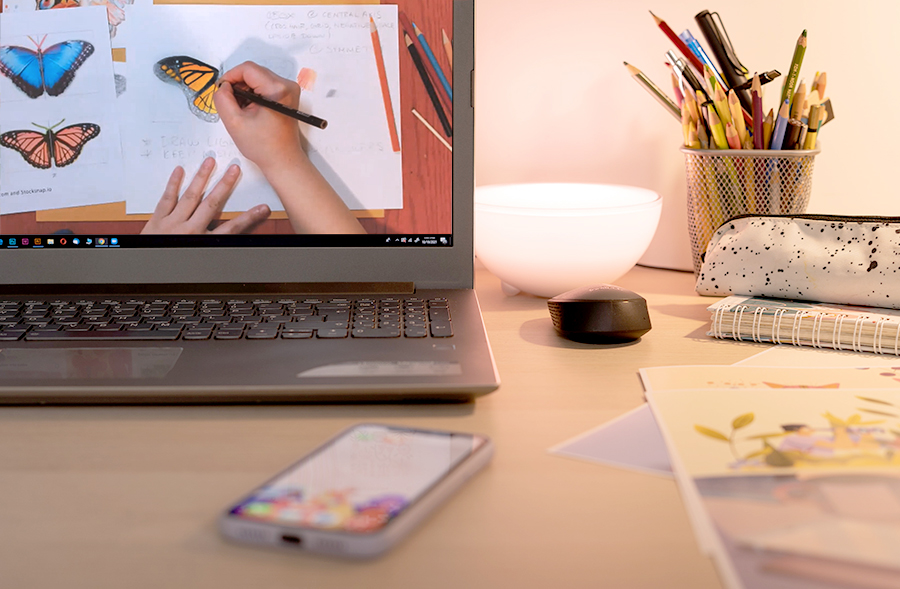
Winter 2026 courses are open for registration! I am teaching online again this coming season! To see my full listing please visit the Teaching Page of this website. For general information read below!
What am I offering?
Online art classes and private lessons.
Art classes are similar to what I’ve been offering in the past (in-person), with the addition of some new topics!
While private lessons can be tailor made to meet your needs (it can be for one student or for your family or group of friends).
How the class runs depends on the topic, but this is generally what you can expect:
- Topic and materials are reviewed (this information will be sent to students who registered before class starts).
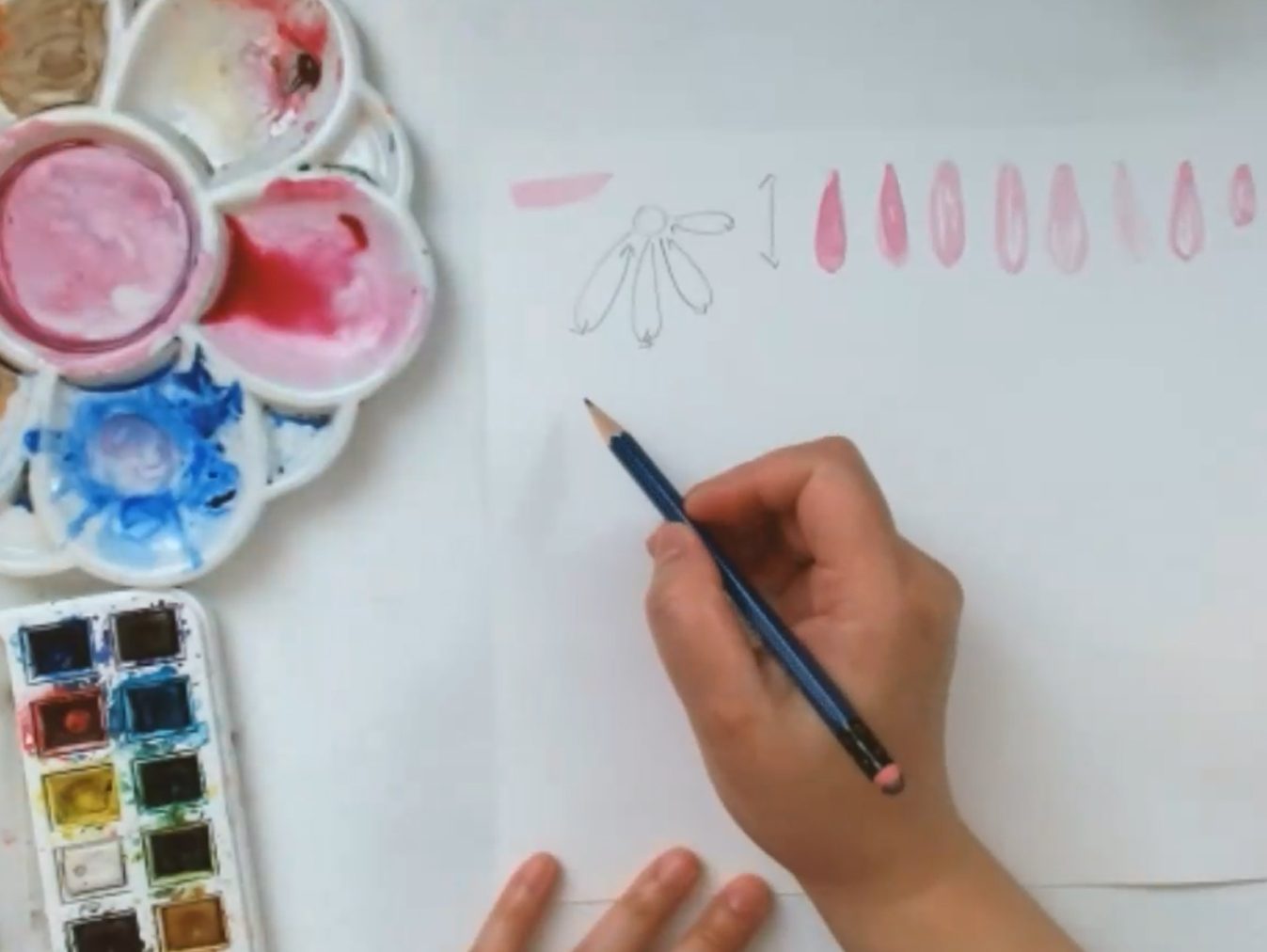
- Depending on the course. My video feed may switch to example visuals, documents and what I am calling my “demo camera”. My demo camera is another camera I have set up, that I can easily switch to, that is focused on my table top or easel. I will be giving live demonstrations from there. Here is an example screenshot:
Why are you using the Live online format?
I have decided to use a Live Online Format for a few reasons. The main one is to stay physically distanced and safe during these times. But also, because they are synchronous events. That is, we will meet virtually at scheduled times to watch my live demonstrations, participate, receive feedback and basically learn together in real-time. As always, my students can communicate with each other and with me during the class time. I believe this is the best way to simulate the regular in-person classroom environment! (Not to mention you can take the class in your comfy clothes, have snacks near by, and there’s no commute to class!)
How will this work?
I use Zoom, an online video conferencing tool. It is a free application.* Although you do not need an account with Zoom to join a class, you do need to download the application. Instructions to how to do this will happen automatically when you use the link I give you once your registration goes through. Or you can just go ahead and try it yourself ahead of time with your friends and family. (There is a free plan). If you are not familiar, it is highly recommend to test it out before your course begins. Visit zoom.us and click ‘Sign Up’ OR download the app on your smart phone or tablet device.
*Your instructor (me!) has purchased a paid version of the application so that we have access to extra things and longer class times for our lessons! Again, students join Zoom for free!
How do I sign up for a class(s)?
For many of my classes you register through the institution I am offering that course through. Such as the Ottawa School of Art, The City of Ottawa, and Dovercourt Recreation. They all have an online registration system, or you can call them to register!
For my independent courses, you will find that the course description will include the price and a registration link. Follow that link to register and then make an e-transfer to

Once your payment has been processed, you will be sent the link and password used to join your class.
How do I sign up for a private lesson(s)?
To schedule a private lesson, email me directly.
What payment method will you be using for your independent classes?
INTERAC e-transfer
What if I sign in to start the class, but nothing happens?
- Check if you are still connected to the internet. If you have a slow connection, give it some time.
- If the problem persists, restart your computer (or phone/table device and try again.)
- There is also a rare chance that Zoom is temporarily down or instructor (me!) is either experiencing a very unexpected power failure or I have lost my internet connection. Keep trying to join in for a bit and hopefully my system will be back online. If it persists we will schedule a make up time.
What do you need to participate in your online classes?
- Decent internet connection
- PC, Mac, Linux, iOS or Android phone/tablet device
- Some basic art supplies
- A nice spot at your place to sit down and make some art!
What kind of at home set up will provide the best learning experience?
- Because these are art lessons, the bigger the screen the better. If possible, I would shy away from using your phones to join the lessons.
- For traditional art lessons, have some decent table space and a comfortable chair to watch your lesson from.
- For digital art lessons, you will need to have access to a desktop computer or laptop, mouse, and keyboard. In these cases, students sometimes sign in with their phones or tablets and follow along on their computers (if they do not have a duo monitor set up).
Do I have to show my face or speak during the class?
You do not need to, but it is recommended. Most laptops, smartphones, tablets, and some desktops have a built-in camera and microphone already. Or you can use an external webcam connected to your computer. Having the ability to hear and see each other adds to the learning experience in a positive way. Students can easily share how their art is doing and ask questions. It is especially helpful for certain classes where I divide the class up into short discussion groups.
However, you can always simply watch the lesson and follow along at home. There is a chat function for those who are not able to, or don’t want to use the audio/video options. And if the internet connection is slow, I may temporarily turn off student video to aid in the delivery of information.
What are you doing to make sure the Zoom class is secure?
I’ve gotten into the practice of using the suggested settings to prevent the security problems. If you use Zoom currently, please make sure you are taking the necessary precautions. Keep your Zoom application updated.
I’m on Youtube?
The Ottawa School of Art (OSA) had asked its instructors to create videos for their channel while they are closed during the Covid-19 Pandemic. So with their encouragement I put one together on “Travel Sketching & Painting – from home edition.” This is my first time making a video like this, I hope you like it! I’ve since added to my youtube channel (it’s the only video I have up there haha!) Maybe someday I will upload more! Like and subscribe 😀
Painting Murals
Near the end of summer (2021) I found out that I was the second recipient of the #RacismIsAPandemicToo art grant. Thanks to the Hintonburg Community Association’ s Anti-Racism Bell box project, I was able to turn my mural idea to a reality! So early this Fall, I was working on this paint project! Location: Gladstone and Fairmont (across from @themerrydairy)

To learn more about this project you can visit my Blog Article Here. If you want to see my other mural projects, visit my Public Works Page Here!
 Maya Hum